Yes, I’m using Procreate!

I’ve been not only playing with texture, I’ve been having fun with puns!
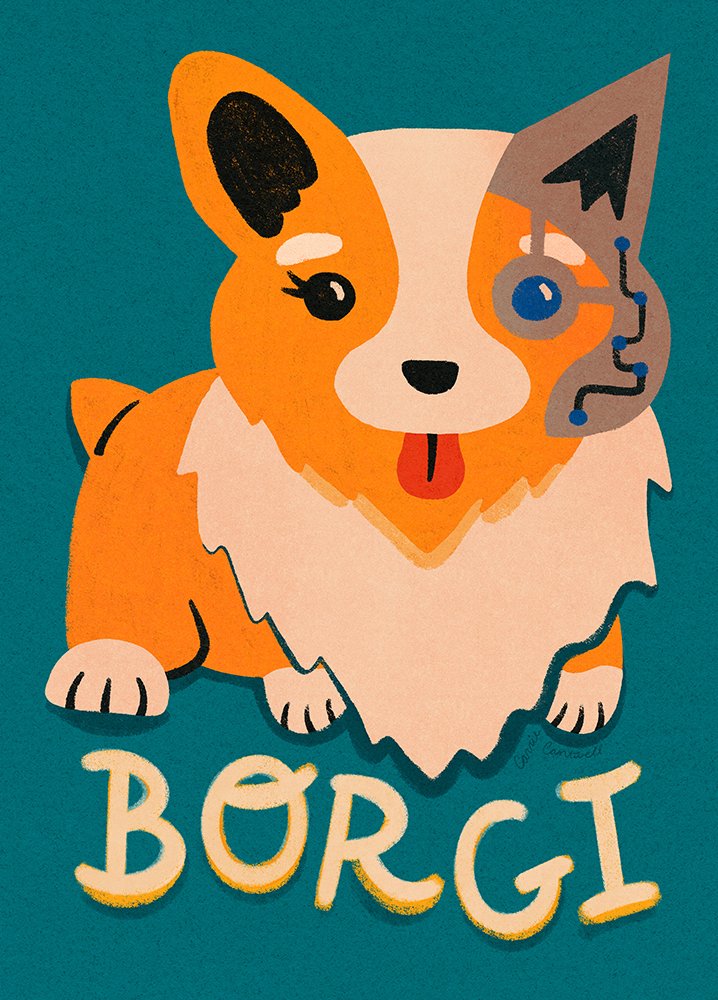
Most of you who know me are aware that I’m typically a vector girl. Maybe it’s because I started out as a graphic designer; when you’re designing logos for brands, it just makes sense to stick with programs like Adobe Illustrator. But lately I’ve been venturing more into the world of texture through Procreate. Some of my favorite new pieces are silly puns like this Borgi one which is full of yummy texture, rough edges and shadows. I think somewhere in the back of my mind, I’ve been railing against the ever-increasing prevalence of ai-generated art, so I’m trying to really show my hand-done touches more and more. And for right now at least, Procreate is the best way for me to do that.
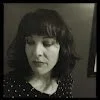
Because I’m doing more traditional drawing on my iPad using Procreate, I’m doing a lot less anchor point pushing and pulling and more loose scribbling. That means my hand is often resting more on the iPad as I draw, as you can see in this picture.
Fun Fact About Me > > > I’m a LEFTIE!
I don’t know for sure, maybe it’s just me, but I’m completely unable to draw or write without dragging the side of my left hand on whatever surface I’m using as my canvas. When I write birthday cards, I have to either use a very non-streaky ball-point pen, or I have to write them backwards. I prefer more inky pens that kinda leak and take a second to dry, but if I’m not careful, the ink smudges all over the paper and makes a huge mess, and then my hand looks like I smeared it with ink. That’s not the look I want, obviously.
There are ways on both the iPad and in the Procreate app itself for you to turn off hand-pressure sensors, so you don’t accidentally smudge what you’re drawing, but I think those need more re-tooling for us lefties. I’ve tried everything, and even with my settings just so, I still end up with weird, accidental stray marks. That’s why I use these awesome drawing gloves every time I create. They not only keep me from smudging the art or making weird extra marks, they also help my hand slide along the screen a bit more smoothly. I use the Paperlike screen protector which makes drawing feel more natural, since it gives the slick glass screen more of a paper-like tooth, but then I lose a bit of that smooth motion since I rest my hand on the screen (hello, leftie). So again, the gloves really help keep things moving along and feeling natural.
Wanna watch my process?
Check out this video showing my start to finish, from my initial sketch to the final art.
As you can see (if my thoughts are coming through in this time-lapse replay) I make a lot of decisions as I go, even after my initial sketch, and sometimes what I end up with isn’t exactly what I’d planned on. Regardless, I still think my Borgi turned out pretty cute. Hopefully s/he makes people laugh. Maybe I’ll sell it as stickers soon… I’ve been thinking about opening an Etsy shop!
Time will tell how much further down this texture rabbit hole I go. I may get sick of it and revert back to my smooth vector-y art, but for now, I’m having fun! Until next time, my friends! Thanks for reading :)